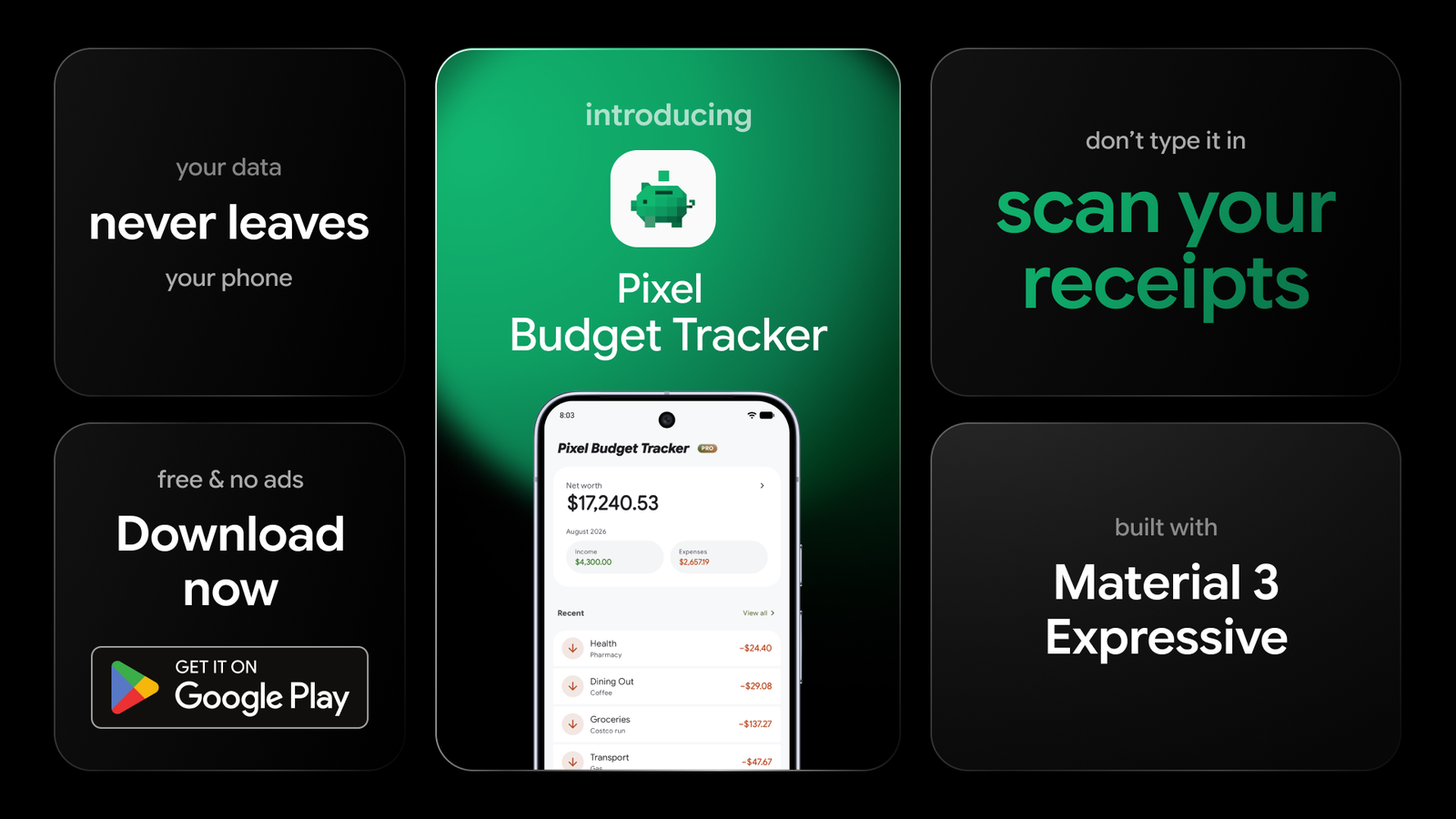
Pixel Budget Tracker is out now on Google Play. It is an offline budget app for Android: it records what you earn and what you spend, it never asks for a bank login, and nothing about your money leaves your phone.
What an offline budget app does differently
Most money apps open by asking for your bank login. That saves you some typing, and it also puts your transaction history on somebody else’s server, behind a password you handed over.
An offline budget app takes the other road. Nothing to sign up for, nothing to confirm. You open it and add your first expense. Every account, transaction and note is saved on your phone and nowhere else, so there is no password of yours for anyone to lose and no company holding a copy of your spending.
What you give up is the automation. You enter things yourself. That turns out to be a smaller chore than it sounds, because there are three quick ways in: type it, photograph the receipt, or set up the payments that repeat every month so they file themselves.
Money in, money out, and moving it around
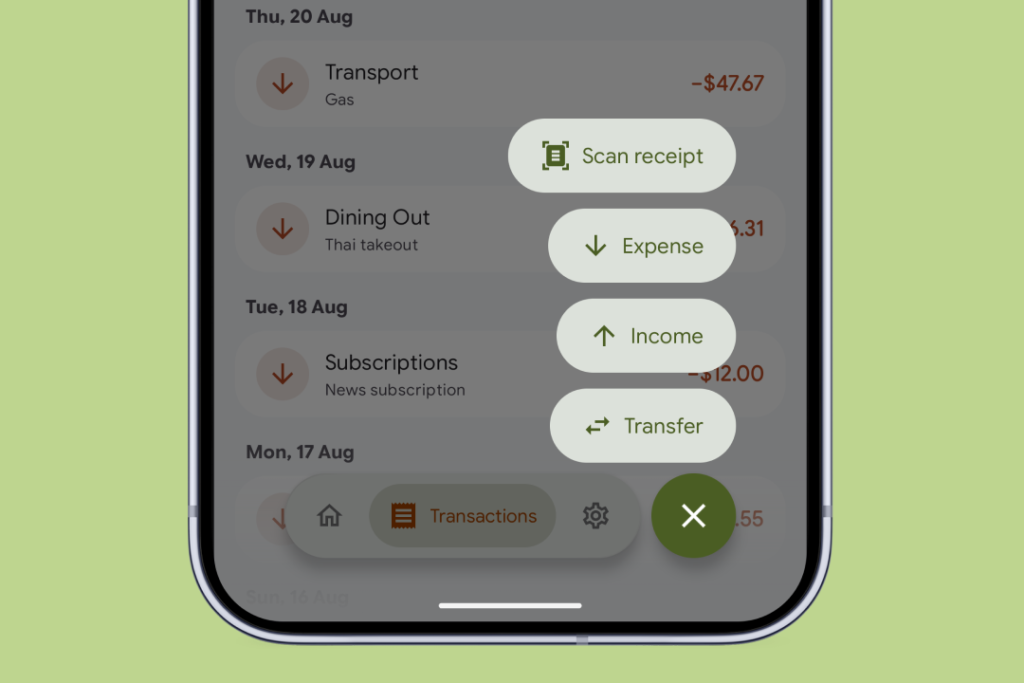
Everything you record is one of three things.
Expenses are money going out. Income is money coming in. A transfer moves money between two of your own accounts, and it never counts as spending, so shifting cash into savings will not make the month look worse than it was.
Any of the three can be added from any screen in the app. The keypad is built for amounts rather than for words, so $12.40 takes about two seconds to enter.
Expenses also get a category: Groceries, Transport, or whatever else you need. A starting set comes with the app, and you can add your own.
Budgets that say how far over you went
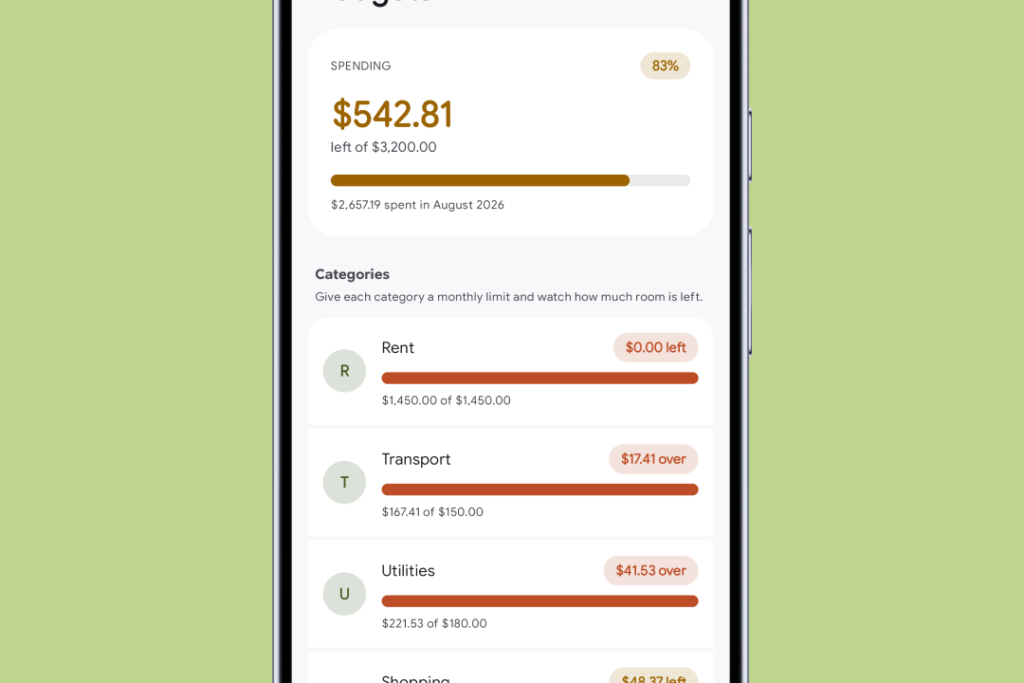
Give a category a monthly limit and a bar fills up as the month goes on.
Near the limit it turns orange. Past it, red. The label switches at that point from what you have left to how much you are over, because “$17.41 over” tells you something that a bar quietly pinned at 100% does not.
A warning also arrives before you reach a limit rather than only after, and that works on the free version. Every limit resets on the 1st.
Point the camera at a receipt
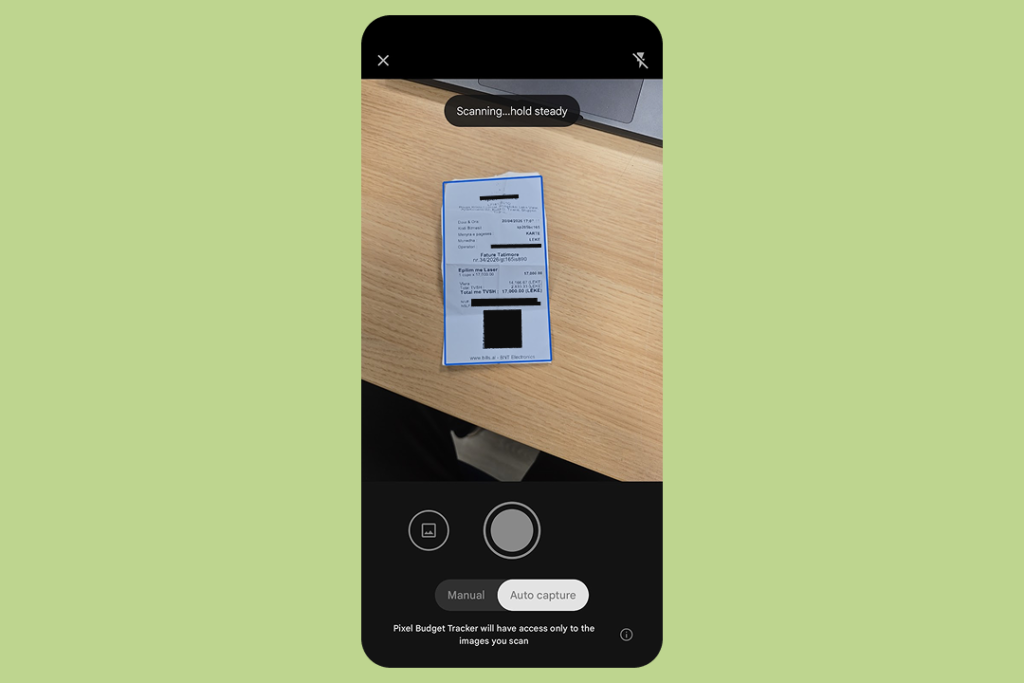
Hold the phone over a paper receipt and the app reads off the total, the date and the shop’s name, then drops them into the normal entry form for you to check before you save.
The scan happens entirely on your phone. Nothing is uploaded, and the photo is thrown away once the numbers have been read off it. The app never asks for camera permission either, because Google’s own document scanner takes the picture and hands over the result. Scanning is also free for everyone, not something the paid upgrade unlocks.
When it cannot read a figure with confidence, it leaves that field empty instead of guessing. A blank you fill in yourself is a far smaller problem than a wrong number you never spot.
Where the month actually went
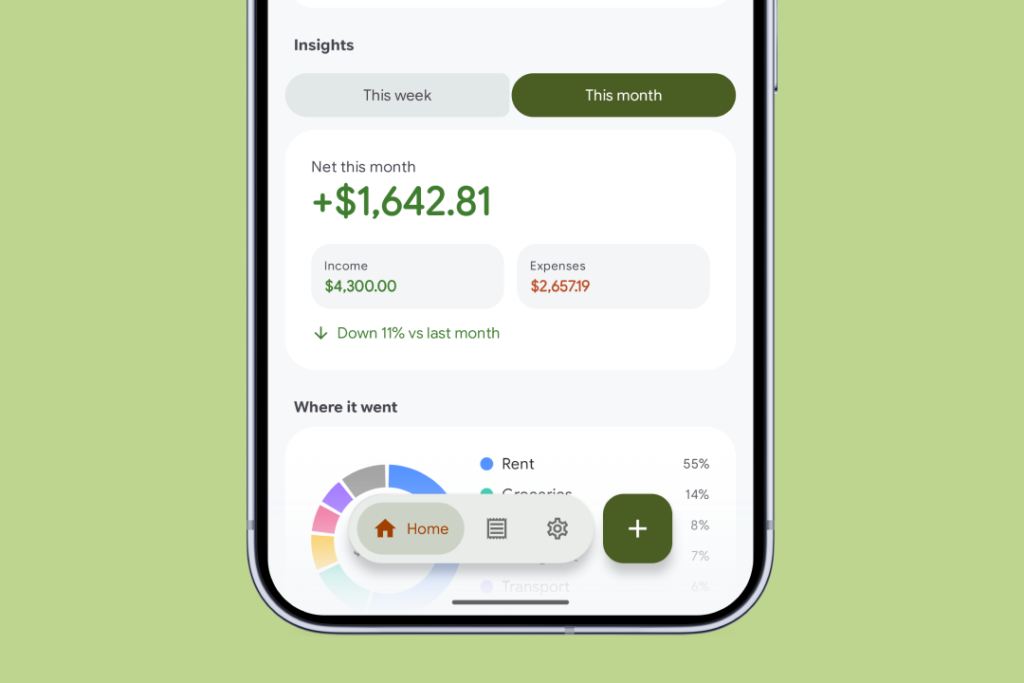
The dashboard totals up the month: what came in, what went out, what is left.
Underneath sit the charts. A ring shows which categories took the biggest share. Another puts income against expenses, so you can see whether the month finished positive. A bar for each day picks out the ones that did the damage.
There is a savings goal you set yourself as well, and a short comparison of this week or month against the last one.
None of it tells you what to do about any of it. The app keeps a record of your own money. It is not a financial adviser.
Your money, in your color
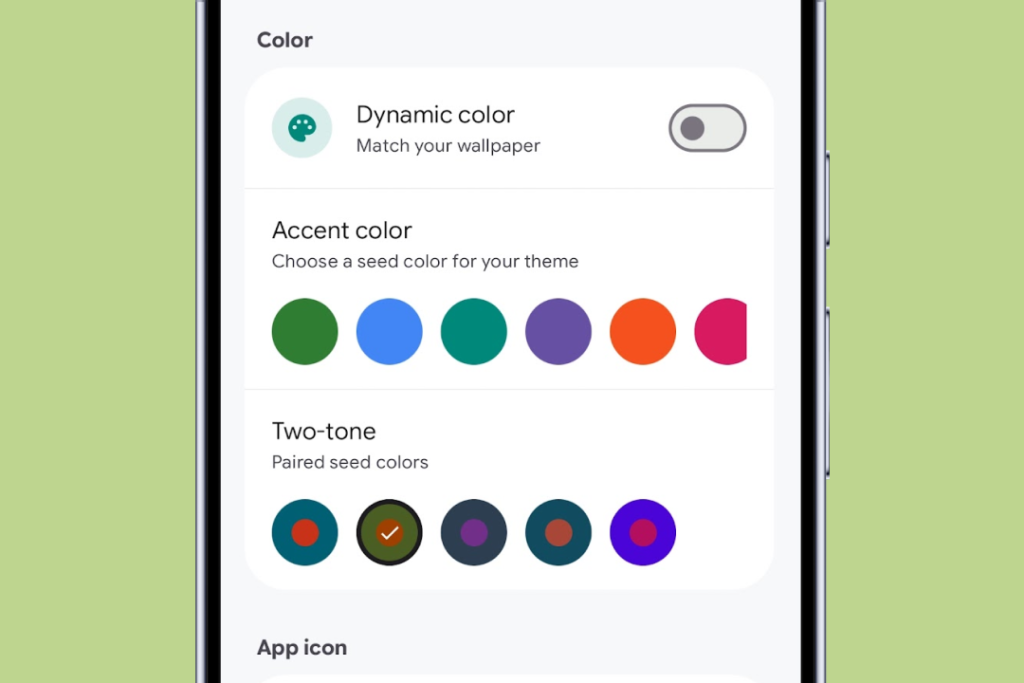
Pick one color and the app rebuilds itself around it: buttons, highlights, cards, charts. On Android 12 and up it can lift that color from your wallpaper instead.
Three colors ignore your choice. Green is money in, red is money out, blue is a transfer between your own accounts. If those moved with the theme, a pink palette would make income and expenses look alike, and that is the one mistake a budget app cannot afford.
The app is built on Material 3 Expressive, Google’s newest design language for Android. Concretely: buttons that squash when you press them, a navigation bar that floats above the page, and animation that arrived with the platform instead of being bolted on afterwards.
Give it a tablet or an unfolded foldable and the navigation moves to a strip down the side, with settings opening beside your list rather than covering it. Home screen widgets cover your balance, your budget progress, and adding an expense in a single tap.
What is free and what is Pro
The free version is a whole app rather than a trial. No ads, no tracking, and nothing you have already used gets taken away later.
Free covers unlimited transactions, unlimited budgets, receipt scanning, every chart, full CSV export, any theme color, one account, and up to five custom categories.
Pro lifts the limits:
- Unlimited accounts and unlimited custom categories
- Recurring transactions, so rent, salary and subscriptions file themselves
- Bill reminders ahead of each due date
- Spending recorded in another currency, converted at the rate for the day you spent it
- True black dark mode for OLED screens
- Five two-tone theme presets, a glass navigation bar, and extra app icons
Pro is a one-time purchase and never a subscription. Google Play sets the price country by country, so the exact amount appears in the app before you confirm anything, and it restores itself if you reinstall or switch phones.
Your records stay yours
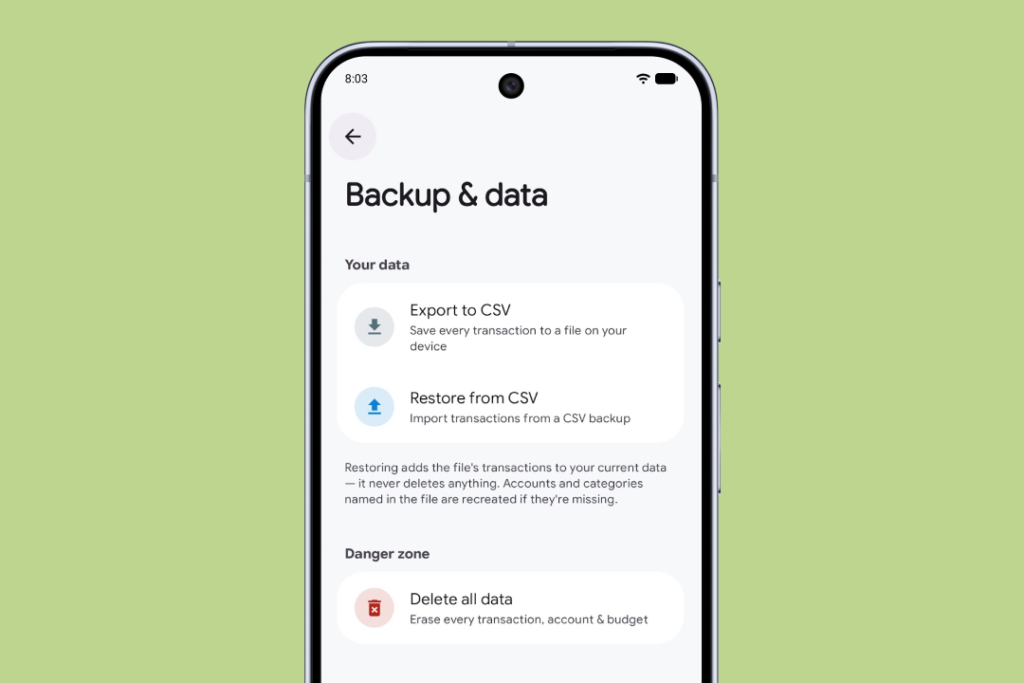
Settings has an export that writes the lot to a spreadsheet file you can open in Excel, Numbers or Google Sheets. It also has a Delete All Data button that genuinely erases everything, database and settings together.
Both exist for the same reason. If your data lives only on your phone, you should be able to carry it out, and you should be able to destroy it.
Questions people ask
Does it connect to my bank?
No, deliberately. There is no bank login and no account to create.
Does it work without an internet connection?
Yes. Everything works offline. The one thing that reaches the network is fetching a published exchange rate when you record a purchase in a foreign currency, and the app carries on working when that fails.
Is my data uploaded anywhere?
No. Nothing about your money leaves the phone unless you press Export yourself.
Is Pro a subscription?
No. One payment, unlocked for good.
Get it now
Pixel Budget Tracker is free to download on Google Play. If you have been looking for an offline budget app that does not want your bank login, this is it.
The full picture, including a color picker that retunes the page while you use it, is at budget.pixel.al.
Try it, and if something is missing or wrong, tell me. Fixing an app early is far easier than fixing it late.